LastBug for Claude Code
Claude Code gets the bug, fixes it and reports back.
Test your iOS app or website by hand. Mark a bug with one key or your voice, and your AI coding tool gets it with the video, the steps and the logs.
No account. Nothing to install in your app or site.
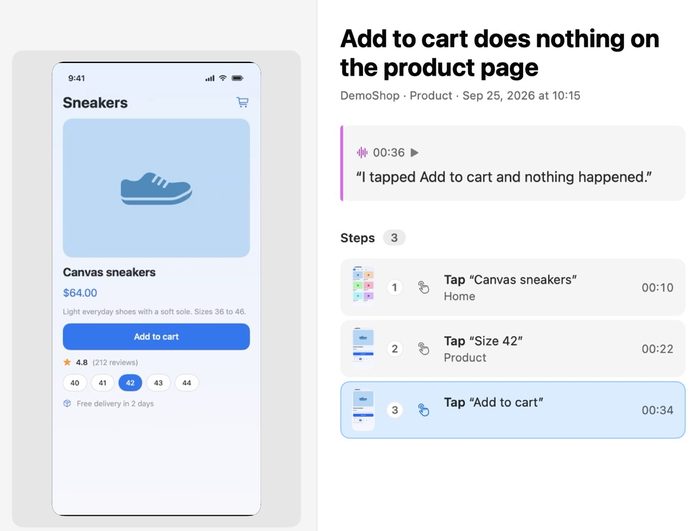
Your taps, screens and log lines are saved with the bug.
Your AI tool gets the screen and your own words.
You check the fix and approve it.
Claude Code gets the bug, fixes it and reports back.
Codex, OpenAI's coding agent in ChatGPT, takes the bug the same way.
The agent in Cursor takes the bug in your editor.
Any tool that supports MCP can connect.
1
In LastBug open Settings, then AI, and choose yours.
2
Copy the line LastBug shows and paste it into your tool.
3
Ask your tool to take the next task from LastBug.
Claude Code, Codex and Cursor. Any other AI coding tool that connects to tools in the same standard way also works.
LastBug needs no account. You use the plan you already have with your AI tool. LastBug has no AI of its own.
Choose the generic option in LastBug and follow the steps it shows. Or copy a task and paste it into your chat.